" transform="translate(4 4)" width="16px"/></svg>)
Research
User research revealed critical inefficiencies in the Editor App related to:
" width="18px"><path d="M 0 3 C 0 1.343 1.343 0 3 0 C 4.657 0 6 1.343 6 3 C 6 4.657 4.657 6 3 6 C 1.343 6 0 4.657 0 3 Z" fill="transparent" height="6px" id="jkxpzfe4k" stroke-dasharray="" stroke-linecap="round" stroke-linejoin="round" stroke-width="1.5" stroke="rgb(25, 0, 255)" transform="translate(6 6)" width="6px"/><path d="M 9 13.5 C 9 15.985 6.985 18 4.5 18 C 2.015 18 0 15.985 0 13.5 C 0 11.015 2.015 9 4.5 9 C 2.015 9 0 6.985 0 4.5 C 0 2.015 2.015 0 4.5 0 C 6.985 0 9 2.015 9 4.5 C 9 2.015 11.015 0 13.5 0 C 15.985 0 18 2.015 18 4.5 C 18 6.985 15.985 9 13.5 9 C 15.985 9 18 11.015 18 13.5 C 18 15.985 15.985 18 13.5 18 C 11.015 18 9 15.985 9 13.5 M 9 4.5 L 9 6 M 4.5 9 L 6 9 M 13.5 9 L 12 9 M 9 13.5 L 9 12 M 5 5 L 6.88 6.88 M 11.12 6.88 L 13 5 M 5 13 L 6.88 11.12 M 11.12 11.12 L 13 13" fill="transparent" height="18px" id="cZnkpTY00" stroke-dasharray="" stroke-linecap="round" stroke-linejoin="round" stroke-width="1.5" stroke="rgb(25, 0, 255)" width="18px"/></g></svg>)
Repetitive workflows when publishing across multiple locales
Poor search performance without exact IDs
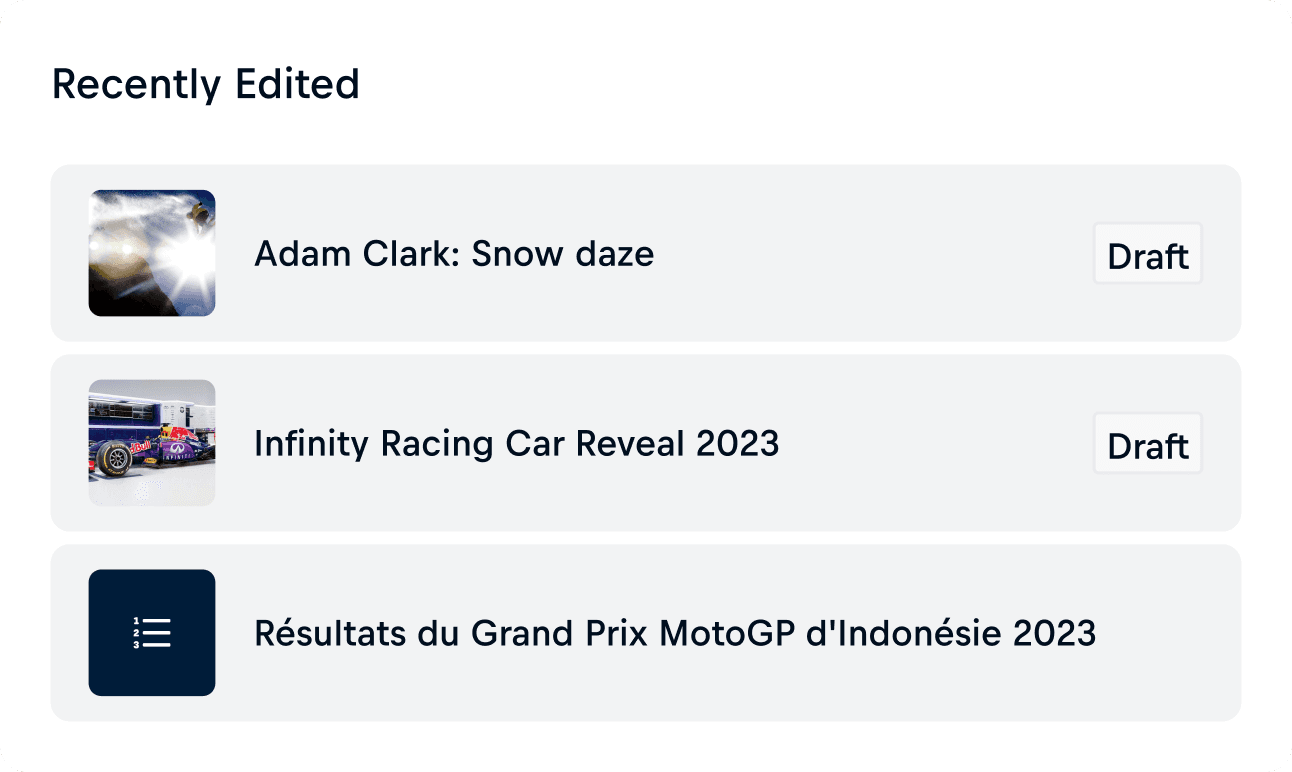
An underused homescreen showing only a generic ‘last edited’ list
Limited visibility into story performance.
These issues wasted significant time, forcing employees into repetitive tasks and inefficient workflows, so the redesign focused on creating a more intuitive and supportive Editor App without disrupting daily operations.
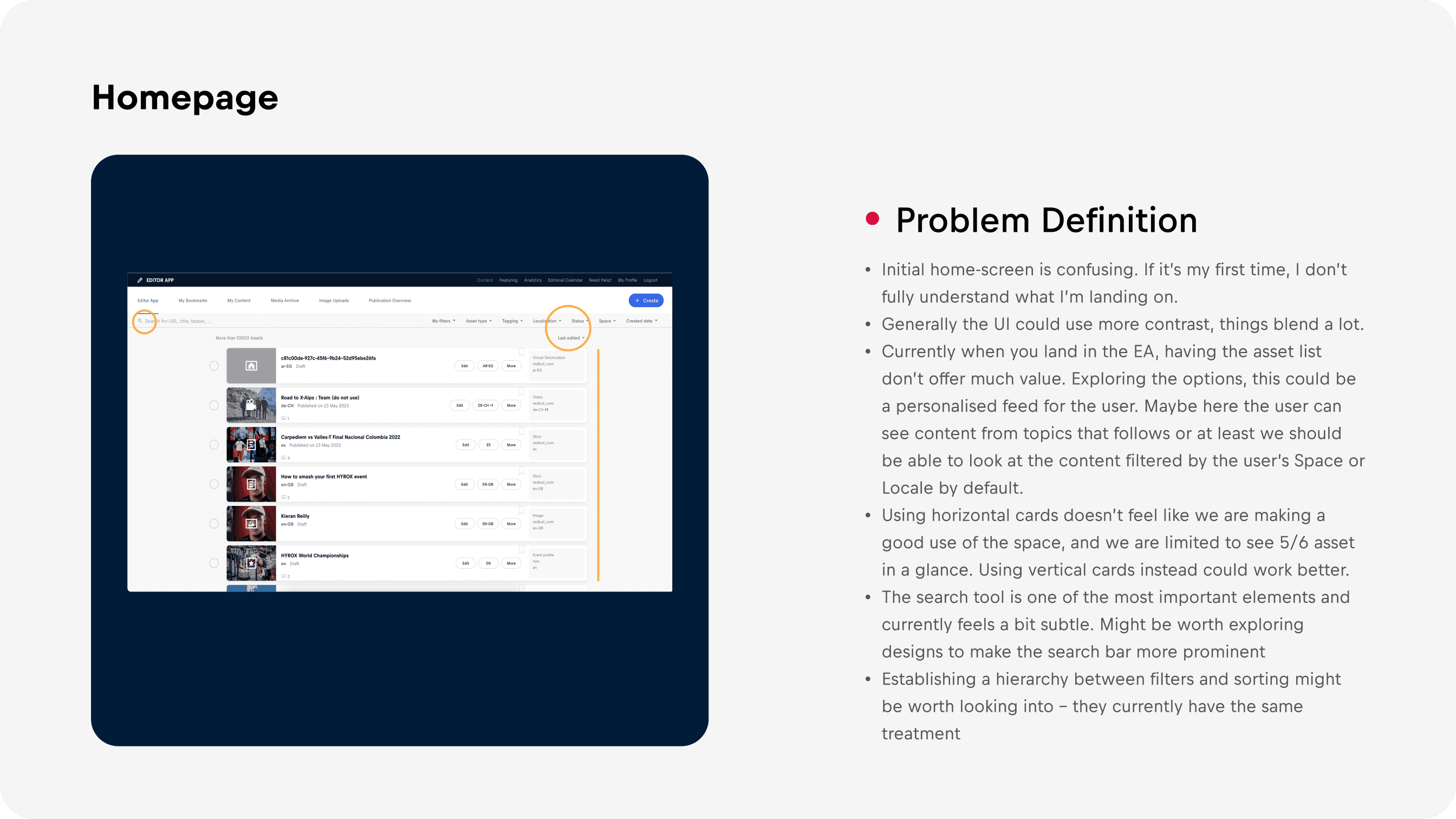
Slide from the initial design audit deck I prepared for stakeholders.
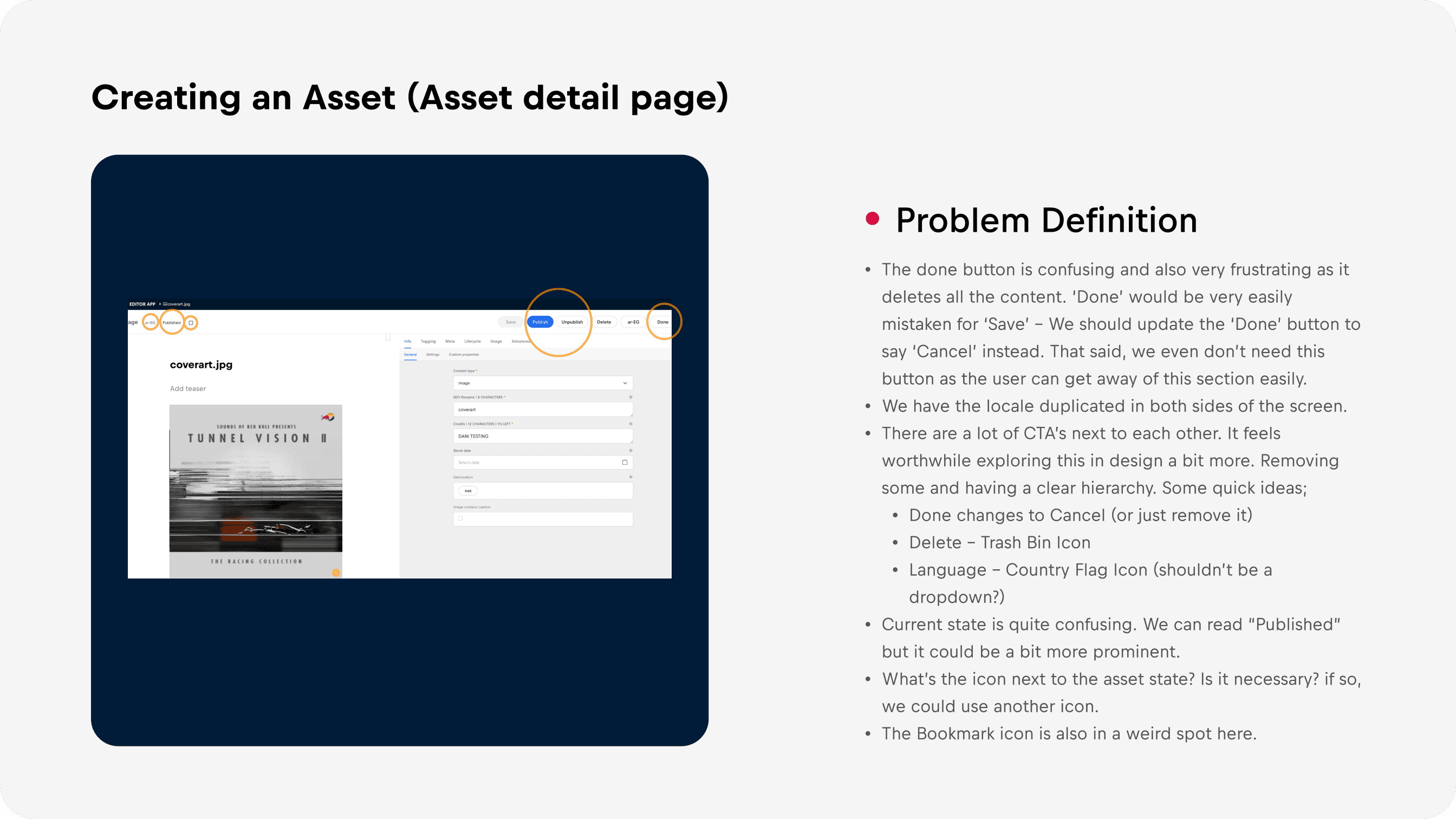
Slide from the initial design audit deck I prepared for stakeholders.
Goals & Design Strategy
To address these challenges, we established a set of focused goals to guide the transformation of the Editor App:
Regarding the mobile version, users felt their work was too complex for mobile and preferred desktop, though we still explored a simplified version for the future.

Based on the research findings, we translated user needs into a set of targeted design solutions. This led to a complete redesign of the Editor App, though here I will highlight only the most notable, disruptive, and necessary changes and features to keep it concise.
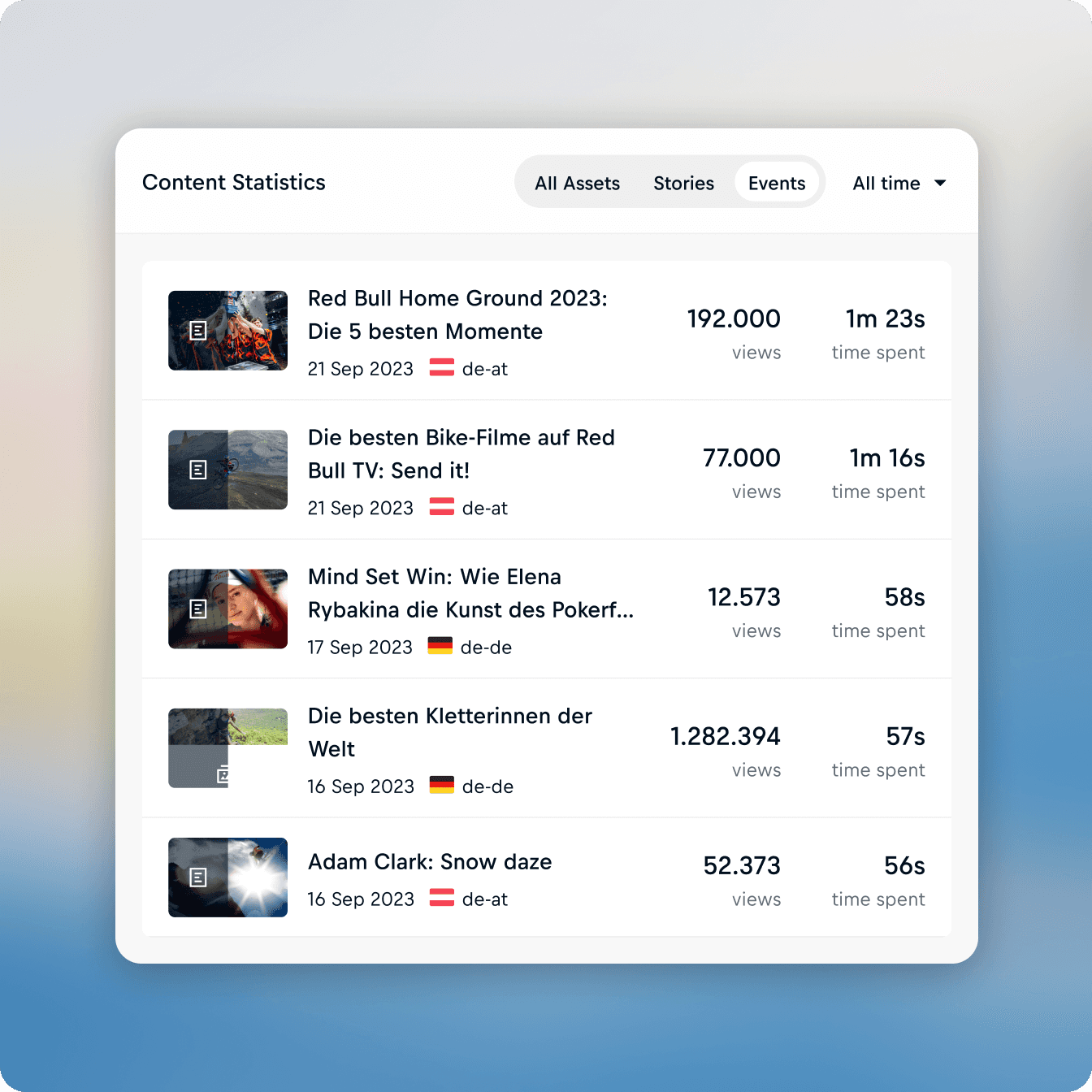
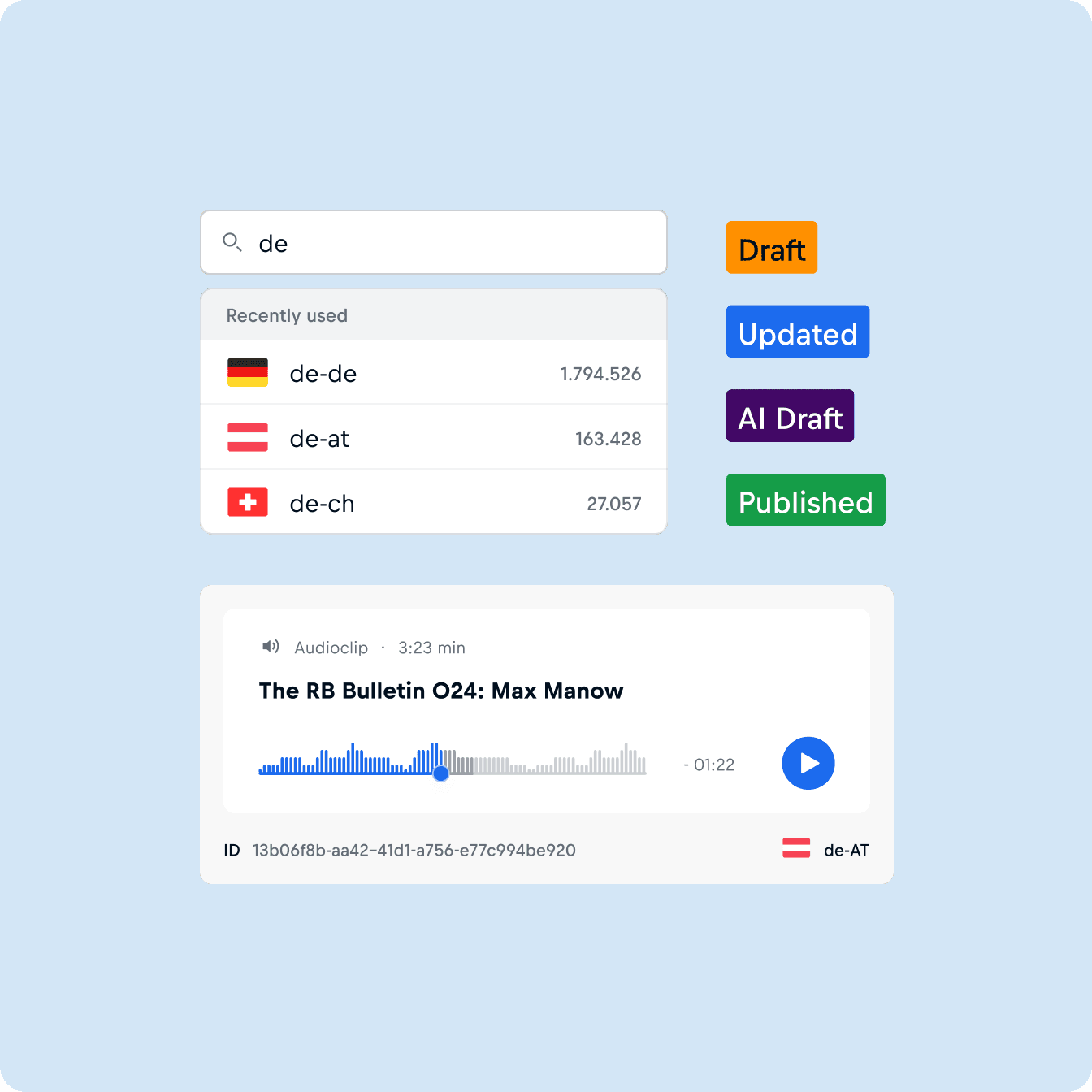
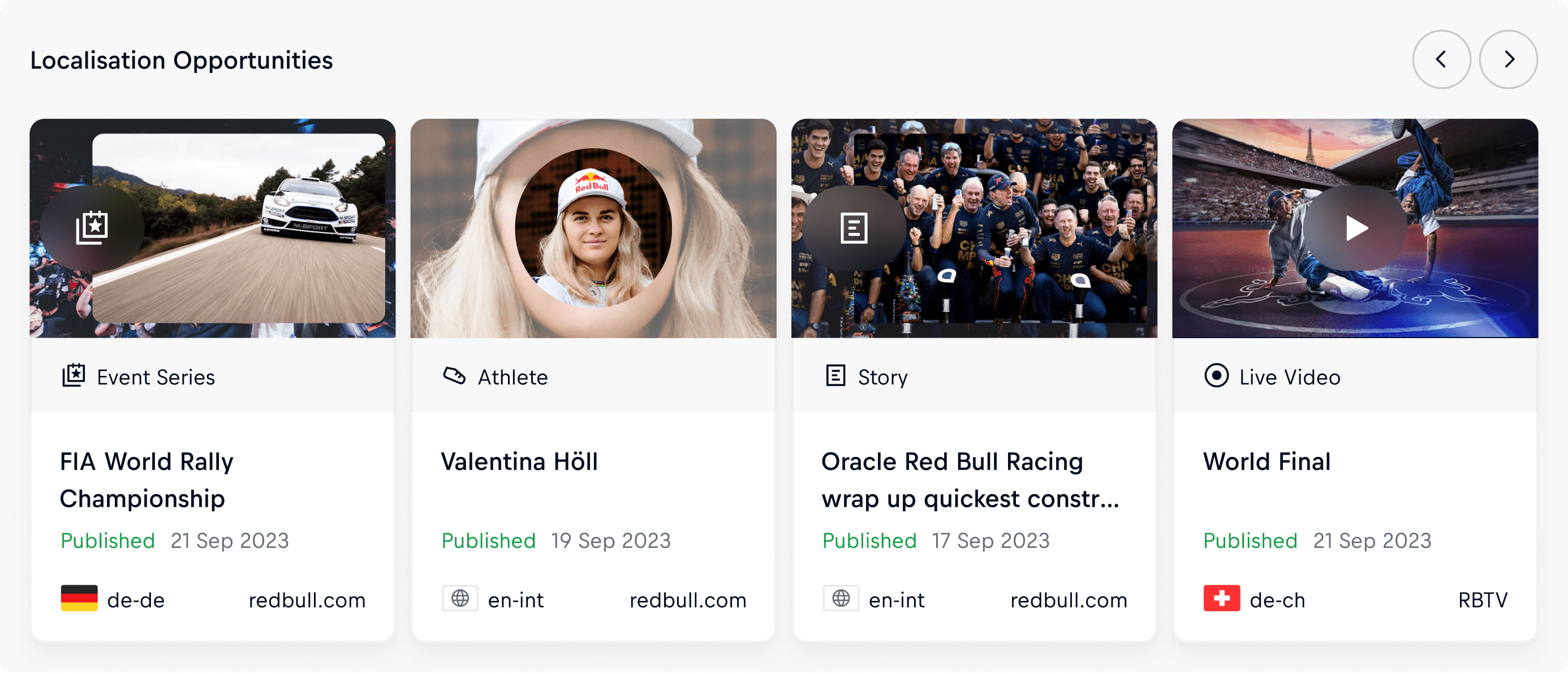
From Generic to Insightful: The New Homepage
The Editor App homescreen was a missed opportunity. Users relied on it mainly to create new assets or to search and filter for specific content.
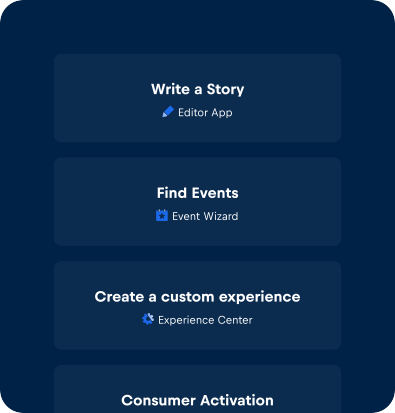
This was a nice opportunity to implement a dynamic homescreen tailored to each user’s role, adapting on login to surface relevant widgets and information.
This transforms the experience from a passive entry point into a more actionable, personalized workspace.
The new Homepage we designed for the Editor App.
Each widget was designed to surface the right information at the right time, helping users stay on top of tasks, access content faster, and reduce the friction of daily publishing.


Content Page
The old Home page (now renamed Content,) left users confused and offered little value. Research revealed issues like poor hierarchy, low contrast, unclear status, and an underpowered search.
The new Content page replaces the generic feed with a clearer, more structured interface, improving hierarchy, content differentiation, and searchability, turning it into a functional hub where editors can quickly find and act on relevant content.
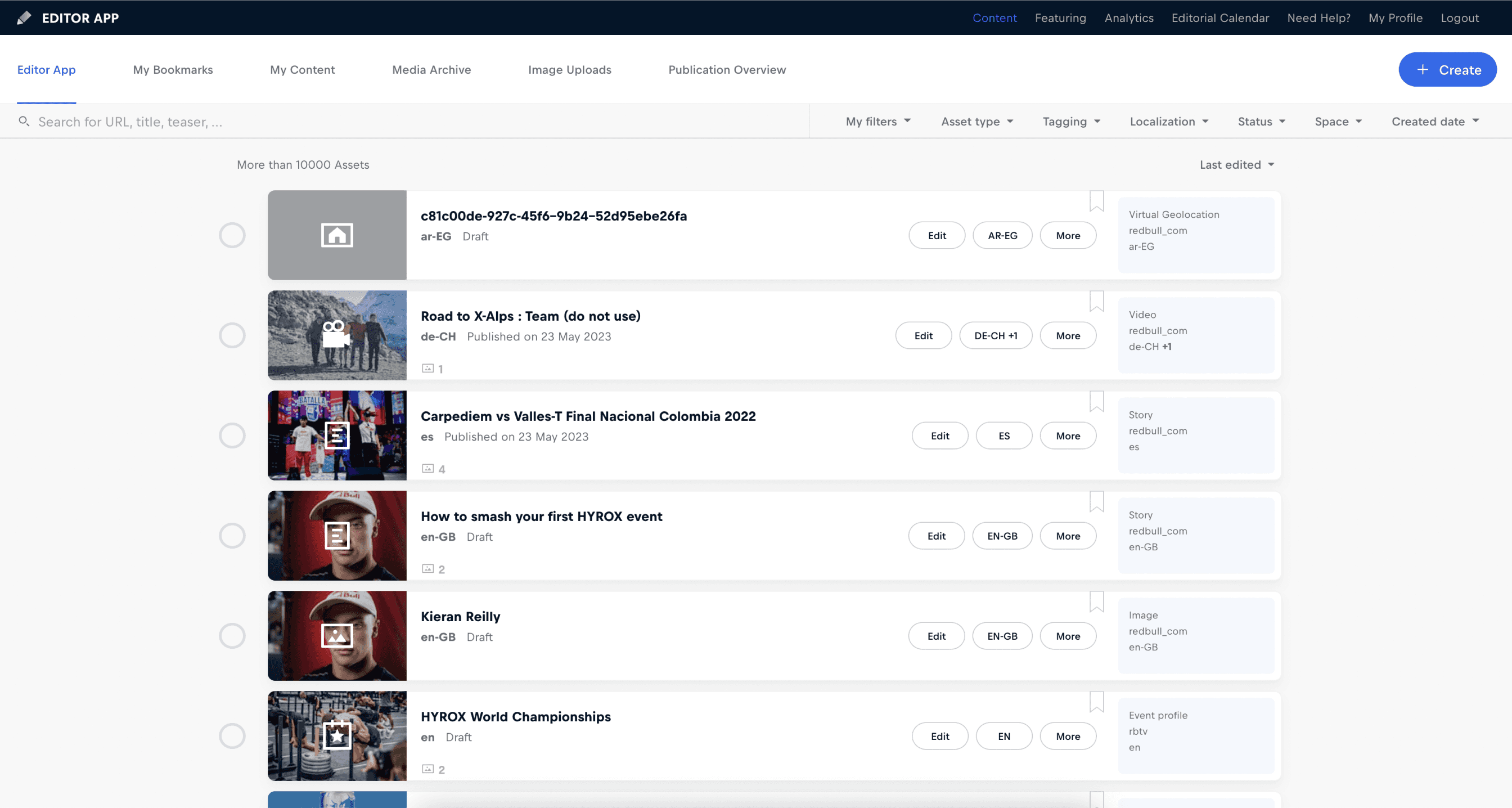
Old Homepage (what we would call now old Content Page)
NEW
Content Page
Asset Detail Page
The new Asset Detail Page offers a much clearer and more focused experience. Content is prioritized, while metadata remains accessible in a smaller, well-organized panel.
A live preview has been added so editors can see assets as they build them, and actions are now far more intuitive thanks to a simplified, better-structured set of buttons. The modular layout also includes a focus mode that expands to the full width of the screen, making it especially useful for editors.
Altogether, the page feels cleaner, more supportive, and better aligned with the editor’s workflow.
Old Homepage (what we would call now old Content Page)
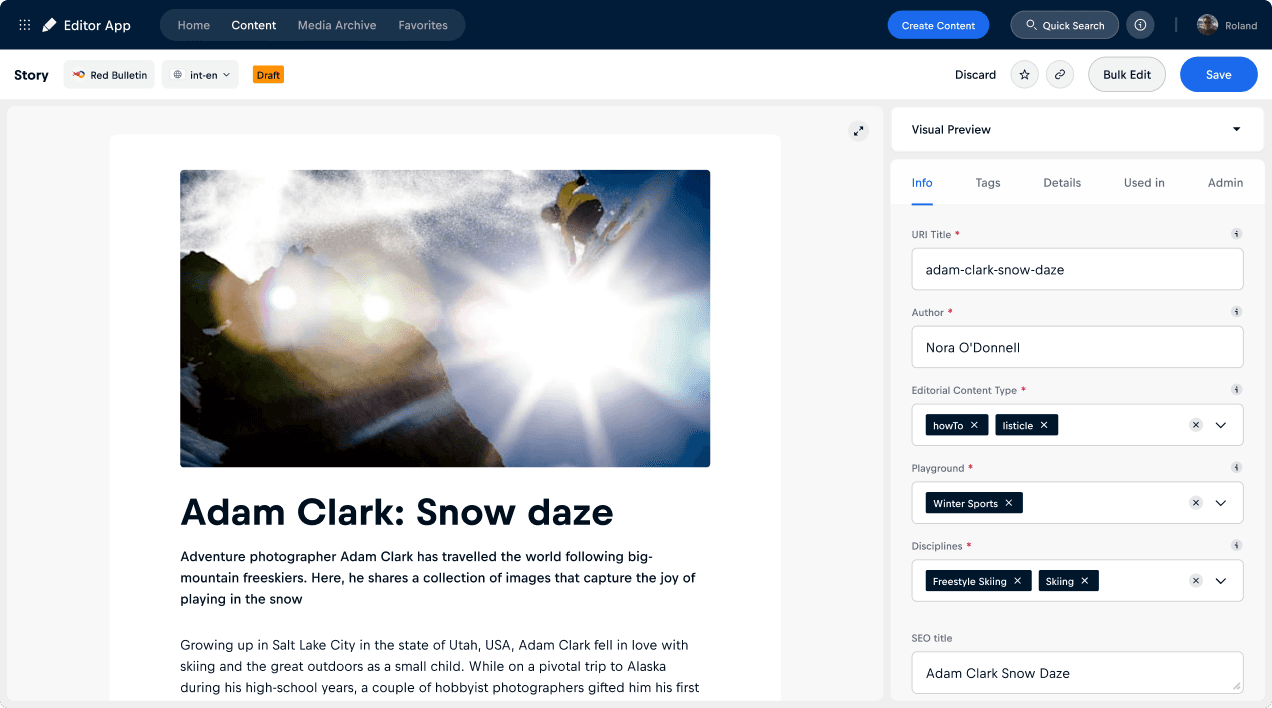
NEW
Asset Detail Page
Showcase video of the Asset Detail Page features
New Feature: Bulk Edit
Bulk Edit was introduced to save editors time by allowing them to update multiple assets/locales at once, reducing repetitive tasks, minimizing errors, and speeding up publishing workflows.




In the Editor App, assets must first be saved and then published before they become available online. In the next Bulk Editing example, I’ll update a metadata field across multiple locales of the same asset in just a few seconds:
Bulk Edit feature for the task: “Change a field value for multiple locales of the same asset.”
New Feature: AI Translation
To speed up localization, we introduced an AI Translation feature in the Editor App. Instead of manually translating high-performing articles from other markets, editors can now generate an instant draft with AI and only review it. This saves significant time and effort.
Red Bull valued the idea so much that I built a simple MVP implementation within a week. What follows now is the full version of the feature in a scenario where a Spanish editor localizes an English article.
AI Translate feature embed in Editor App workflows.
Image Cropping
User research revealed a need for in-app image cropping, so we introduced a feature that lets editors adjust visuals directly, reducing extra steps and streamlining the workflow.
Image Cropping feature embed in Editor App workflows.
Impact & Learnings
The redesign had a tangible impact on how editors worked. By providing real-time visibility on story performance, it encouraged greater reuse of successful content across locales.
The homescreen became a personalized dashboard that saved editors time, while Gravity's consistent patterns made onboarding faster. Discovering and localizing top-performing stories from other markets also pushed article performance up globally.
32%
Less time for editors to complete tasks
49%
Faster asset searches, cutting search time
40%
less repetitive manual work through bulk editing
The Editor App project highlighted the power of addressing specific in-app solutions within a larger ecosystem. By focusing on the most critical tool in Red Bull’s workflow, we achieved both immediate user benefits and strategic alignment with the broader goals of unification, efficiency, and scalability.

Check my other projects:
 rotate(-45 12 12)" width="24px"><path d="M 0 0 L 24 0 L 24 24 L 0 24 Z" fill="transparent" height="24px" id="WVJmnSLB7" width="24px"/><path d="M 16.063 0 C 14.962 2.624 14.201 5.272 13.78 7.943 C 13.358 10.634 13.27 13.367 13.517 16.08 C 13.415 16.004 13.317 15.924 13.222 15.84 C 13.096 15.728 12.974 15.612 12.856 15.492 C 11.963 14.599 11.293 13.436 10.846 12.002 C 10.398 10.569 10.173 8.853 10.172 6.855 L 3.027 13.999 L 2.081 13.053 L 9.225 5.908 C 7.203 5.907 5.484 5.685 4.068 5.244 C 2.654 4.802 1.487 4.124 0.57 3.207 C 0.444 3.082 0.322 2.954 0.204 2.822 C 0.13 2.74 0.062 2.653 0 2.562 C 2.778 2.809 5.5 2.718 8.164 2.291 C 10.88 1.849 13.532 1.08 16.063 0 Z" fill="rgb(0, 0, 0)" height="16.080000000000002px" id="YER7fQDwI" transform="translate(3.446 4.473)" width="16.063000000000002px"/></g></svg>)



" height="16.080000000000002px" id="QnMphaiO1" transform="translate(3.446 4.473)" width="16.063000000000002px"/></g></svg>)